
Want to Save this Recipe?
Enter your email below & we'll send it straight to your inbox. Plus you'll get great new recipes from us every week!
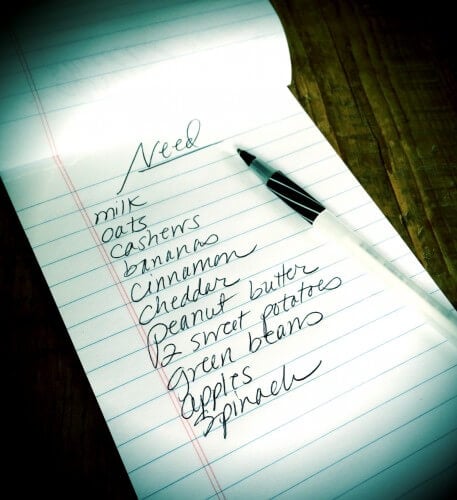
Surely everyone has a running grocery list of some sort—a list where you write down "peanut butter" when you realize you are getting low or where you add "crackers" because you realize you have none. For many years my running list has been on a basic pad of paper, and I would add anything else we need right before going to the grocery store. And for many years I would almost be done with all my shopping and then look at my list and say "Oh, I forgot the coffee" and quickly retrace my steps back to the beginning of the store to get it. :) I'm sure I'm not alone here!
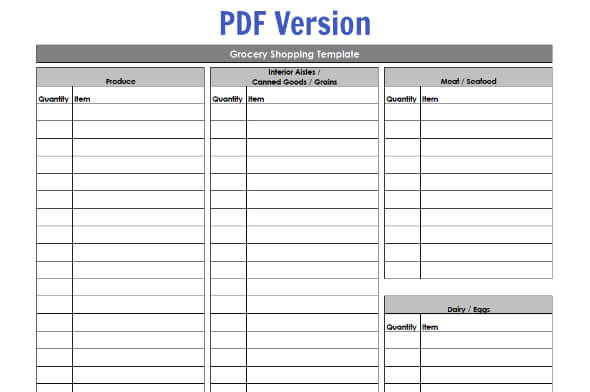
So between all the categorized shopping lists that come with the meal plan services these days and the template my girlfriend uses that's organized by the aisles of her favorite grocery store, I decided it's time to have some sort of template of my own! And I of course had to share my template with all of you, which is why I've attached both a PDF version and an excel version below (so you can modify it to your liking).
You could start with a blank template each week or edit the excel version by adding items you buy every week (for us that would be things like milk, bananas, oats) so you don't have to write those same items down each and every time (and also so you don't forget them). My organized girlfriend keeps a stack of her grocery shopping templates on a clipboard in her kitchen so it's always accessible when someone needs to add that item you just ran out of—I think I am going to start doing something similar.
And on that note, here is my current routine that I've been trying to (loosely) follow each week...
- Thursday Late Afternoon/Evening: I ask each family member to pick one dinner recipe (usually out of a cookbook) for the upcoming week. I come up with 1 to 2 dinner recipes/ideas myself, and then I create an extremely informal (chicken scratch) dinner plan for the next 7 days. I put simple dinners and crock pot meals down on the days we have after school activities, and I (try to) put more involved dinners down on the weekends and days where we don't have any late afternoon commitments. I also almost always leave one night open and write something like "TBD" or leftovers...we rarely need 7 completely different dinners within a week (it's usually more like 5 or 6 and then the other nights we "scrounge" leftovers or make something simple like scrambled eggs to go with said leftovers). Then I add all the necessary ingredients for those dinners plus some items I think we'll need for breakfast and lunch to the grocery list/template. I also make a separate list of the items that I can get at the farmers' market (i.e. meat, eggs, some veggies, etc.). This whole process takes me between 30 min and an hour and I am not going to lie...it's not something I enjoy doing, but it's got to be done!
- Friday Morning or Afternoon: I drive about 20 minutes to Earth Fare to do my shopping. There are dozens of grocery stores between our house and Earth Fare, but I've found I can get almost everything I need at a "health food" store and they (by far) have the biggest and best selection of organic produce, which prevents me from having to shop around a great deal. While there I stock up on everything I think we'll need before the next Friday shopping day rolls around. I occasionally stop at Trader Joe's (and the bread store) on the way home.
- Saturday Morning: We get up early and hit the farmers' market for those items that can be purchased locally! If we don't get there early we'll miss out on the "good" stuff. :)
- Rest of the Week: If I "forgot one thing" or think of something else I could suddenly use, we'll run a mile down the street to our mainstream grocery store for that onesie twosie thing I need. It happens to the best of us...it seems like more often than not (no matter how hard I try to be organized) I always forget something!
Be sure to check out my meal planning post for more tips...and please share your routine with us in the comments below! I'd love to get more good ideas on how to make this whole process even more efficient. The least amount of time I spend meal planning and grocery shopping the better. :)
Grocery Store Templates (Click to Download):


Jaci says
We are part of a local organic co-op so we pick up 90% of fruits & veggies (and occasionally dry or frozen goods) on Friday afternoons so I take into account what produce we got before meal planning ex. This past week we got shiitake mushrooms & Bok choy..stir fry it is! I have regular staples we get weekly for breakfast and lunch ...string cheese frozen organic waffles bananas etc we get our milk raw from a local dairy and sometimes our eggs...I can't wait until our chickens start laying in a month or two!!
Andrea says
I keep a running list on my phone. There are certain things I only get at Costco, who is starting to carry a lot of organic products! Then I usually go to Sprouts for all of my produce. The rest of the stuff I usually get at Fry's.
Katelyn says
I have a basic word document template that's organized by aisle and I check things off as I need them. I only have the things I buy most frequently listed by name with extra "other" slots for those less purchased items. Sometime Tuesday to Wednesday I ask for any requests from my husband (the 2.5 year old doesn't request anything beyond ice cream Hah!) and make a meal plan for the next week. I then pull out the recipes (normally from my personal recipe collection or a new one I've printed off) and fill in the rest of my grocery list. I shop Thursday mornings (b/c it's less busy with my 2.5 year old) at our military base's commissary. For the more unusual items that I occasionally need, there's a store w/n 10 min drive that I visit. I don't often miss an item but if I do the commissary is very close by (we live on base too.) The organic selection is not great at the commissary, but I haven't made the switch with very many things yet though we do eat "real" foods for the most part. We have a co-op grocery store downtown (mostly organic and local,) but I rarely go - part is still adjusting the budget and part is the drive/convenience factor with a 2.5 year old. It's a 30 minute drive one way and I have to pay for parking. Also, the aisles are very narrow and I spend at least half the time redirecting grabby hands from the glass jars. I can hit the commissary during a slow time and be door to door done in 1 hour.
Tammy K says
I do a 2 week menu plan and shop for 2 weeks at a time, every other Thursday. My Master Grocery List is a word document organized in the order I shop the store (perimeter, then inside aisles). All our common purchases are pre-printed, so all I have to do is circle what we need. There are blank spaces to write in unusual items. I keep it on the side of the fridge to add to in between shopping trips. My rule is...if I run out of something, we do without (except milk, that is the one item I will make an emergency trip to the store for). My menu planning is done in powerpoint, 14 slides for 14 days. Usually 3-4 are leftover meals, so those are easy. My daughter gets to pick a meal each cycle from a cookbok I give her to look at, then she helps me cook it. I have found that I save $30-40/week by shopping only every 2 weeks. We are a family of 4 and eat for $100-125/week on the 2 wek cycle. I have no idea why it saves so much money, but it does!
April says
Paprika app for iphone/ipad changes my life when i started cooking! App stores hundreds of your recipes, has a built in web browser for recipe searching, has a grocery list AND a meal planner! Worth every penny!!
Heather says
Love the Paprika app! I just need to spend about 50 hrs getting all of my recipes in there!
Mary says
We're luck enough to have a local farmer who delivers. So we get produce and eggs delivered on Thursday afternoon. Saturday morning I write up a menu for the week based on what produce I have and what's on sale at Whole Foods. I supplement with organic offerings from our local grocery which has a surprising amount of organic choices, not only in produce, but on the shelves (like tortilla chips and salsa, pasta sauce, etc) and in the dairy department. My menu runs Sunday through Saturday. Then on Sunday, I can bake, soak beans, and get all kinds of things prepared to make cooking dinners much easier!
Nicole says
I have an organized template by isle/groups for our current Commissary (we're military). It really helps when I go through the store. I do a lot less impulse buying and I blase through the store!
Courtenay says
My husband and I do our meal planning together. We ask the kids what they would like to eat, think about what we want. We look over our cookbooks and our schedules to make a meal plan for the following week. We make several lists because we shop different stores (chain grocery store, Costco, food co-op). On Sundays we divide and conquer. We usually make several calls during the shopping to discuss specials we find and compare prices. It is a little tiresome but it works for us!
Dawn says
An old version of Microsoft Word had a grocery list already made with items listed by categories. I just edited the list to include our most commonly purchased items, then t and put it in order of my grocery store. I shrunk it to get 2 copies on one side of a sheet of paper and then I print it front and back. So from 1 sheet of paper I get 4 lists! Cut down the middle and hang the stack on the fridge. Everyone in the family can easily go check the box of any item that we need, or write in something that's not there. I've tried using my phone, but for some reason, I'm just a pen and paper kind of girl!
Jodi says
My husband does 98% of the shopping. He creates a list in order of how things are placed in the store. He gave up writing it because he can't read his own writing, instead he has a word document with the brands I like so when I tell him I need toilet paper he'll know what to get. He's getting better at picking produce also but hopefully my garden will give us some fresh stuff soon! Love the excel file thanks for sharing it :)
Jen T says
Generally, I shop at Wegman's. I keep the list on the fridge, then before I go, I put my list in on the web site. That way I know how much I'll be spending and when I print the list out, it is organized by aisle. It saves me from back-tracking (unless I suddeny remember a forgotten item) and helps me stay on budget.
Melinda says
Have you tried the new Wegmans app? You make your list from a complete store inventory or they have
a record of your previous purchases. It separates each section of the store and each item has a picture, full description and current sale price. It is so easy to use.
Jen T says
Melinda, I'd love to! But I don't have a smart phone. The web site works pretty much the same way. If I log into my account, it has my last shopping list. Then I can search any item in the store withpictures and price, or I can switch to a tab with my previous purchases to make life easier. I like that it keeps a total at the bottom of my list. It makes it easier to stay within budget. I love that store! I don't have a Trader Joe's or Whole Foods nearby, so Wegman's is king.
marissa says
I bought a gift card from my favorite grocery store about a year ago and each month I reload it with a set amount. I use this card when shopping and I tend to go about once a week. The receipt always tells me my remaining balance on the card. This has really helped keep me on budget.
Jen T says
Marissa, I love that idea! I'd never thought of that. Thanks for the tip! Sharing that one on FB. I have friends who'd appreciate the idea. Thank you!
Christina D says
I LOVE the Wegmans website. I make my shopping list there every week. Even if I end up shopping at Trader Joe's I make the list on Wegmans' site.
Melissa Shirts says
Thank you for the idea and post about your routine! I'm always looking for ways to improve our eating routine throughout the week and know I need to plan the slow cooked meals more during this time especially because my son is in baseball 3-4 times a week. I use this application called Cozi, so that anyone in the family can enter in a cupboard staple item into the app at anytime. I also plan our meals on Friday and get our list ready. Hit our CSA farm on Sat. and local market for the rest.
Christy says
Several years ago, I created a master shopping list. Under each category, I added all of the products I use regularly, including brand names for many just in case someone else has to shop for me, along with check boxes and blank lines for extra items. The list is very personalized, of course. I keep several on a clip board hanging in my pantry and just check off things as I run out or get low.
marissa says
I do this very same thing...though I am a highlighter lover so I heighlight an item we need when we run out of it. I use different colored highlighters depending on where I am going to purchase the item (grocery store-orange, costco-pink, target/walmart-blue, etc). I catorgorized the list by my favorite grocery store and how I shop within the aisles. It is so easy for me...I've been doing this for about a year now and I can't tell you the time it has saved me.
Andrea says
I have an app called Grocery List on my iPhone. I have a list for each category (bulk bins, dairy, meat, veg, etc) and everything I buy already on that list. Then I tap to add the check to each item that I need on that trip and uncheck it when it goes in my basket.
Cali says
Ziplist!! Best thing ever. All my fave recipes from all over the web in one place plus you can add your own. Plug them into your calendar and add them to shopping list in one click. I just pull out my phone and all items are automatically organized in store order. Saves me a ton of time. It takes a while to get it set up at first. I just added the recipes I needed for the week one week at a time. Now I only add a recipe or two a week. Meal planning and making my list would take me about an hour. Now I'm done in about 15 minutes. Heavenly. Oh and it's totally free.
Lyn says
Thanks for the tip about ziplist !! WOW what a great program (and free - I LOVE FREE!! lol) I went ahead and also downloaded the app for my cell.. This will make life SOOO much easier!!
Courtney says
Yes, thank you! I just signed up and it looks pretty neat.
Kelly says
I use Plan to Eat. It's so worth the annual price (and usually they have a half-price special that kicks in after your current subscription is set to expire). I store my recipes; have access to my friends who also use the site (therefore I have instant access to more than 1,000 recipes wherever I am, which is awesome when you're at the beach or family's house for the holidays); I can plan my meals for the week and have it generate my shopping list from the ingredients from that menu; and I can keep a list of "pantry" items which can be easily moved over to my shopping list when necessary. I've been meal planning for 10 years and I have to say that this is the one online tool that is invaluable. Oh! And if I can't get to the store, I can send it electronically to my hubby and he can do the shopping. All items are categorized by aisle, as well. LOVE IT!!!
Molly says
Thanks, this template would help me. Like you, I don't like writing my grocery list at all.
I always tell myself to come up with 4-5 grocery lists with dinners and then when I'm not feeling like looking through cookbooks and recipes and making one from scratch, I can just pick one of those already set grocery lists and then add breakfast/lunch items to it. But I have yet to do that!
Anita @ Losing Austin says
Routine, lists, inventories?! Oh my. I want to have all that, really I do. Maybe one day. :)
Scott Sappenfield says
Yep, I can assure you I do better with a list...my super organized wife rocks! I can spend as little time in the grocery store thanks to her help.
Jennifer Scogin says
In Response to Dori, asking about bulk Whole Wheat flour...
I buy all my flours, oils, pantry type stuff from vitacost.com (Use this referrel link - http://www.vitacost.com/Referee?wlsrc=rsReferral&ReferralCode=60108892)
I find it cheaper than the stores I shop at (I do not shop at Wal-mart so I can't vouch for that). I just keep all my staple items on the set & save and make sure my total gets to $49 so that I get free shipping. This is also where I buy California Baby stuff for my son, some of the vitamins we use, etc.
Jenni says
With my husband back in school full-time, I've made the grocery budget a priority. I do one large monthly shopping trip, knowing that I'll have to do a small supply run weekly for milk and/or fresh produce. Plus, I force myself to stick to the list — reducing impulse purchases is the best way to stay on budget. At the end of each month, I plan our meals for the month (roughly — menus might shift within a week based on leftover availability), make sure we have what we need for each meal, plus assess what staples need to be replenished, then organize the list by the aisles of the store so I can move fast. Then I make sure to mark the list for any coupons (I'm not a "coupon-er," I just check what's on sale), so I know which sales apply. We haven't gotten the budget down as low as I might have hoped — it's still about $650/month for our family of three, including maybe one meal a month "out" — but I never have to wonder what I'm going to make for dinner the next day, we never resort to fast food, and I only spend about an hour a month shopping for food.
Leanne Battelle says
Coincidentally, I have just revamped my menu planning and grocery shopping system to test out the program ZipList for my business The Whole Pantry. What an incredible change for the better. Based on your general process, it seems like it would work really well for you. I like that I can have lists for different grocery stores and also have added CVS and the Farmers Market. And when it comes to meal planning, I go through recipes at the beginning of the week like you. But all I need to do is enter the recipe's URL into ZipList and it will automatically add the ingredients to my my specified list, giving me the option to uncheck items I already have. Another great feature is that others in the family can add to the list via the computer or phone app. Other features include a recipe finder, weekly meal planner and grocery deals. I think this is the first week ever that I won't be going to the store at least 4 more times to grab food for dinner or general items I'm out of. Give it a try!
Jennifer Scogin says
I used to use my own excel spreadsheet but then I would have to remember to print it (it would be on my work computer and I would forget when I got home, etc) then I would have to give the paper to my husband or carry it and try to write on the floppy paper, etc. (needless to say, I wasn't happy with that), then I started using Grocery Gadget app and online. That was much better because my hubby had the same app and I just had to make sure I put my list on there (other plus was you put your recipes and ingredients and could quickly add those on the shopping list). We used this for several years and it worked well and on good days I had a separate list for every store (Whole Foods, Costco, etc). However the phone app sometimes didn't work right. Now we have been using the Cozi calendar/app/etc. and the past few weeks have been putting my list on that and my hubby says he likes that app better than the grocery gadget one. I think, for us, since we both work outside the home, something online or that has an app that both of us can see at any given time works best for us.
Christina says
some great ideas! I suppose my process is similar to many above, in that I do keep a running list, digitally, with headings for section of the grocery store. I receive my CSA basket on Friday and while I would love to go to the farmer's market for anything extra and then the main grocery story on Saturday, mostly what I do is meal plan and shop on Monday, and I pick my grocery store based on what ends up on my list (i.e. if I am buying meat I am sure to go to Whole Foods instead of HEB). I've also been keeping track of grocery prices so I know what to stock up on at a particular store, as I don't have time to go to multiple.
I don't think I have seen Cozi mentioned (as a phone app and website). I like it because I can continuously leave things on the list and just check them off/cross them off as I go, then uncheck when I need to buy things again. possibly other things do that too, I just haven't used them.
I've started (maybe 8 months ago? longer?) writing down the meals we eat so that when I am trying to plan meals for a particular season, I can sometimes just go look at an earlier week and copy whatever we ate then and not have to think about it. :) I would love to just have rotating meal plans but with the CSA I need to have more flexibility, so even if I plan to have whatever regular theme nights, my grocery list has to be adapted. oh well, we love the CSA!
Claire says
I'm such a meal planning dork, I loved reading how others do it! I have an Excel file for planning my meals. Each week I copy the previous week's tab and edit accordingly. I have a column to list activities so I can plan around those. As for my actual meal plans, I try to base them either on what I already have on hand (usually protein items) and what's on sale that week at whatever store I'm going to. There's a health food store here (Sprouts) that has double ad Wednesday, where the previous week's ad and the next week's ad are both good, so I try to go then and stock up. I put my list in an email so I can just send it to myself and pull it up on my phone at the store. I roughly organize it by store section...produce together, meats together, middle aisle stuff together, dairy, etc.
Ian W says
For years we have used a free app, that also has a website, called Our Groceries. It works on iphones, Android, and via the web, to synchronize all your lists, grocery or not, between any devices you authorize.
I can add an item to a list on my phone, delete an item on another list. Then when my wife opens Our Groceries on either her phone or the website, the lists are updated with my changes. It works in near real time, which can be a blessing when last minute items get added to the list while you are AT the grocery!
Nikki says
I've been trying to reduce our paper use (and subsequent output). I use Evernote (a program/app) for our weekly schedules (and lots of other things), with the bonus that my husband shares the folders and can add/subtract items. I write in a meal idea for each day in Evernote and he can contribute without me asking. I use an app for my iPhone/iPad (that is also shared) to keep our grocery list. If we update the app as we see something is running low, either of us can stop at a store and the complete list is available and updated immediately. The efficiency is fantastic, with the added bonus of not generating more trash.
cs white says
I keep most of my recipes in Evernote, where I have them tagged by type (beef, pasta, meatless, etc.). When I make them, I even tag them with my family's rating.
I create my meal plan in Google Calendar. I created a calendar called Food to keep it separate from other kinds of events. This makes it easy to see if I don't need to plan for a particular day because we'll be out. Also, if something comes up and plans change, it's easy to move the dish to another day.
Finally, I use GroceryIQ (http://www.groceryiq.com/) to create my grocery lists. Once a week I go through the meal plan and add everything I need to my list. GroceryIQ has let me create different "stores" and I've set each up with aisles that match the stores' layouts. Then I take my phone with me and fire up the app and my list is in order!
Christine says
Zip List and Pepperplate organize your list automatically, and there are apps for your smartphone so your list is with you at the store...with convenient check boxes as you shop.
Sarah @ Belle on Heels says
I use The Project Girl's meal planner. It has one column where I list the meals we're having each evening and then the other side of the page is a grocery template broken down by different aisles/departments. I plan our menu and fill in the needed groceries.
Recently I've been uploading the grocery list into Evernote. That way I never forget to bring my list with me; it's always up-to-date on my phone. Sometimes I think other shoppers think I'm a total airhead for walking around the store staring at my phone, but it's better than the inevitable forgotten items that I needed for a meal!
Annemarie says
After I receive my weekly farm share and I look at the sales flyers for my local stores, I make a plan. I'm working on limiting my Trader Joe's trips to once a month. I have a spreadsheet with everything I buy there as well as the prices and the number of units we go through in a typical month. This helps save money on gas as well as impulse purchases.
Maria says
I use an app called "Out of Milk" to keep a grocery list on my kindle. I cross items as I go so I don't forget anything. I don't keep an aisle number because I don't always go to the same store. Our farmers market kinda suck so I don't make the 20 minute trip there. I do go to a market that sells locally raised meat. They often have Groupons so I just buy a bunch of stuff with their Groupon and keep them in the freezer. I plan meals on Thursdays and hit the store Friday afternoons after work/gym. My meals are also based around post-school activities and schedule. I don't think I'll ever be 100% "real" but I have definitely made some changes this year on the family eating. It's hard sometimes.
Dori Huffman says
My husband and I just spent this whole past weekend putting a system together on the computer.. It was exhausting. We are trying to keep our grocery budget at 200.00 a week for our family of 5. This is hard to do and takes extreme planning while not forgetting an item and having to go back to the store (those items add up) as well as not use all the flour, butter, eggs, oats, honey, maple syrup ect halfway through the week and have enough to last. We did come up with a meal plan system and a way to track the items we buy weekly and their prices to add them to the grocery list when the meal list is complete. I am with you, as I dislike this part of the week very much. I'm hoping this will make meal planning and grocery shopping combined a more pleasant experience :)
On a side note: If anyone knows where to buy whole wheat flour in bulk cheeper than at Walmart. I really would appreciate the advice as I go through about 35-40 cups a week baking from scratch.
Kim Homes says
Ok, our home has gone with a combination of high and low tech when it comes to our shopping list. I have a "white board" attached to the side of the fridge. It has sections for where we shop: Whole Foods; Trader Joe's; Costco. When we run out or are getting low on items we write them in the appropriate space. Then we take a picture of the board before we go shopping (or if someone is out and about and wants to do the shop, the person at home takes a pic of "the board" and sends it to the shopper). We erase items from the board only when we get home so we have items still needed up there just in case....works like a charm!!! Thanks for letting me share....
Danielle says
I plan our meals and the list on Fridays for the following week and then do the shopping on Saturday. I live in Grand Cayman so our selection of grocery stores is limited and the distance we have to go is also limited. The farmers market is Saturday AM so we hit that for eggs, poultry and veggies then head to the grocery store for everything else. I will not buy things like fresh fish until the day I am actually going to make it and there is always something that we forget as well!
Sarah says
I have a rotating menu, (which I add new recipes to periodically), however, I have all the ingredients saved in onenote, then I just copy and paste them on to another list called 'grocery list' in onenote. My DH and I share the account, so we both have access to the list on our phones. We add things as we discover we need them... Yep, I'm a bit of a geek. WORKS really well though.
sarah says
I have a Word doc that lists (by aisle) most of the items we buy. There is also a section labeled "Trader Joes" since that is not where I regularly shop. My family knows to check it off on the list if we need it!
Francine says
This will make your life so much easier. I have a similar form in Excel, but I went as far as to create a section for each aisle. Yep. One day I took in a pad of paper and wrote down what was in each aisle. Now I don't run back and forth through the aisles. Another suggestion - take a pencil to cross the items off the list. I tend to forget things, even if they are on the list, if I don't cross them off as I put them in the basket. Love all your tips and recipes. Thanks for blessing us with what you do.
Lisa says
That is exactly what my organized friend's list looks like! She says if her husband has to go to the store for some reason he loves having a "cheat sheet" like that with him.
TJ says
I generated a master list by looking through our pantry and listing everything and then taking a stack of old receipts and double-checking my list (in case we used it and hadn't replaced it). Then, I made a master list that stays in a plastic sleeve and it is organized by grocery store area. I can highlight on the plastic and check off with dry erase at the store so I don't even have to write the items. There is room at the bottom to add new items.
Lisa says
Wow - talk about efficient! :)
Mona Cameron-Ball says
I have "Master Grocery List" that lists specific items I buy in order of the aisles of my "main" grocery store. On Monday nights, I sit down with my list and on the back plan out my dinners for the coming week, keeping in mind our after school and evening activities for the week. I plan leftovers, crock pot, or super simple meals on the nights when I won't have as much time to prep and cook.
I also shop at two other stores; one is a "health" food store, the other is The Fresh Market. There are certain things I always get at these two stores so I make a small list on the back of my Master List for those two stores. When I am planning my meals for the week, I usually have the sale flyers for all 3 stores handy and I try to incorporate the sale items in my meal plans.
I hit all 3 stores on one day, and then in the summer, when my CSA kicks in, I will have less to buy at those stores.
My past week's grocery list with the current week's meal plan lives in a little folder in my pantry so I know what I'm supposed to be cooking and remember to take things out of the freezer. Next week's list is on my bulletin board. If I, or someone else in the family, uses the last of something or has a special request for next week's shopping, they grab a pen and circle the item on the list or write it in, if I don't have it listed.
Why reinvent the wheel every week?